The registers will check in each night and grab changes to the menu/discounts etc. You can force this update by doing the following:
- Sign in as a manager
- Press the 3 lines in the bottom right to open the "Manager Functions"
- Press "More" in the upper right
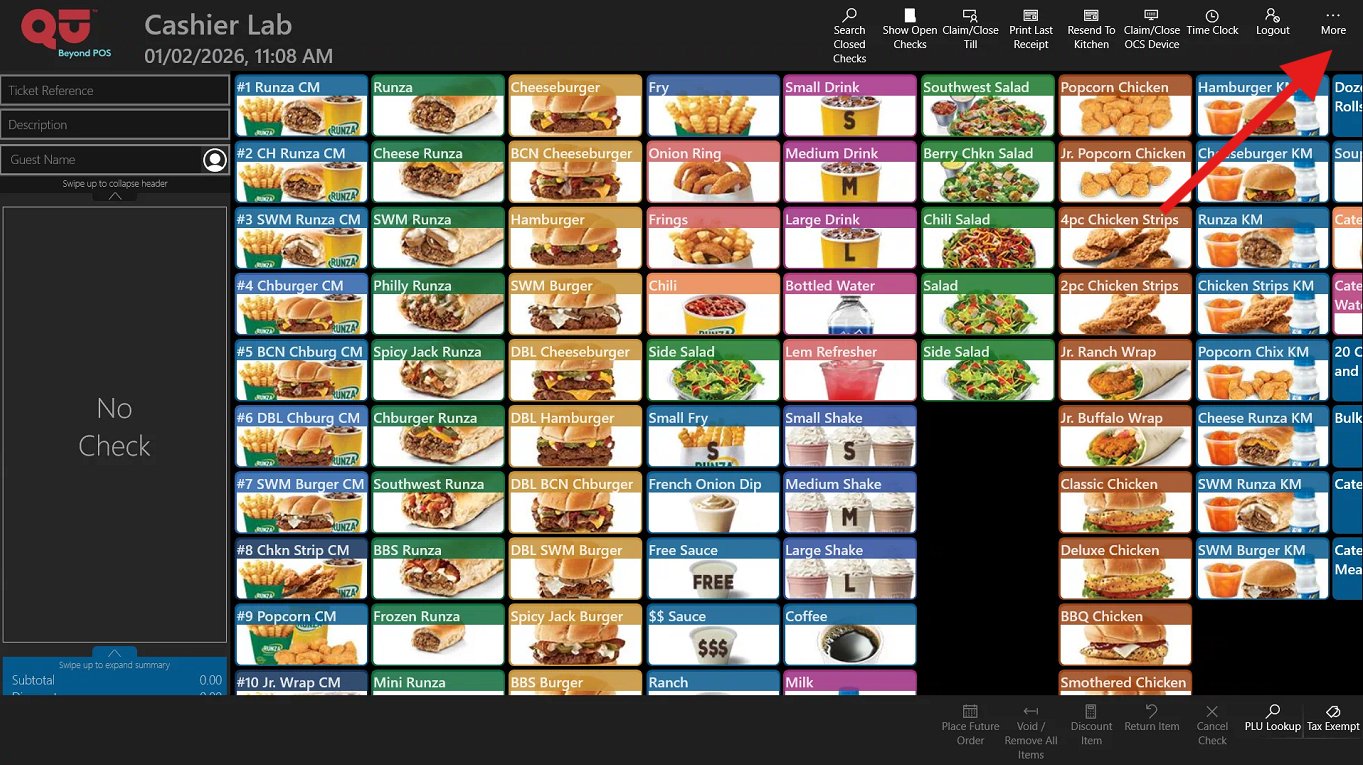
- Press "Terminal Configuration"
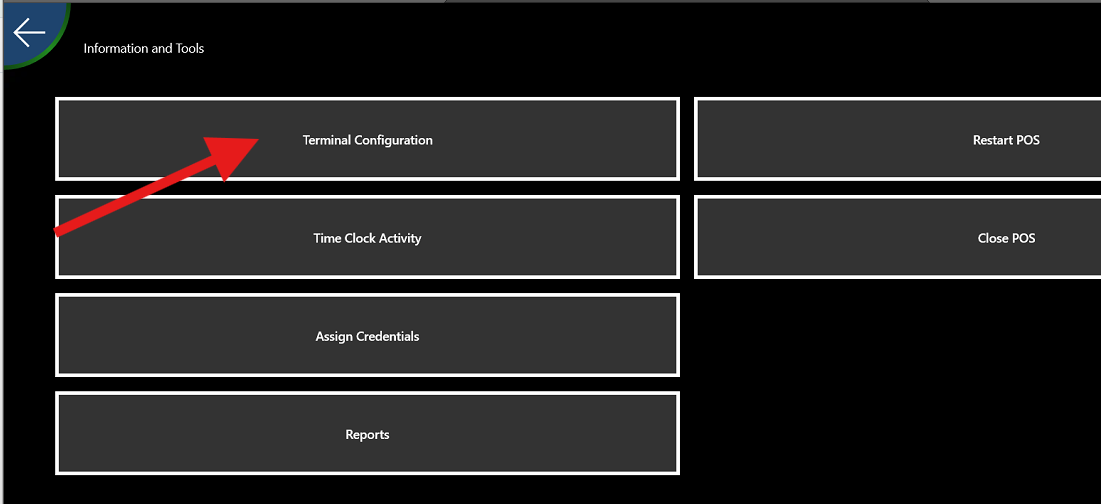
- Press "Update Terminal"
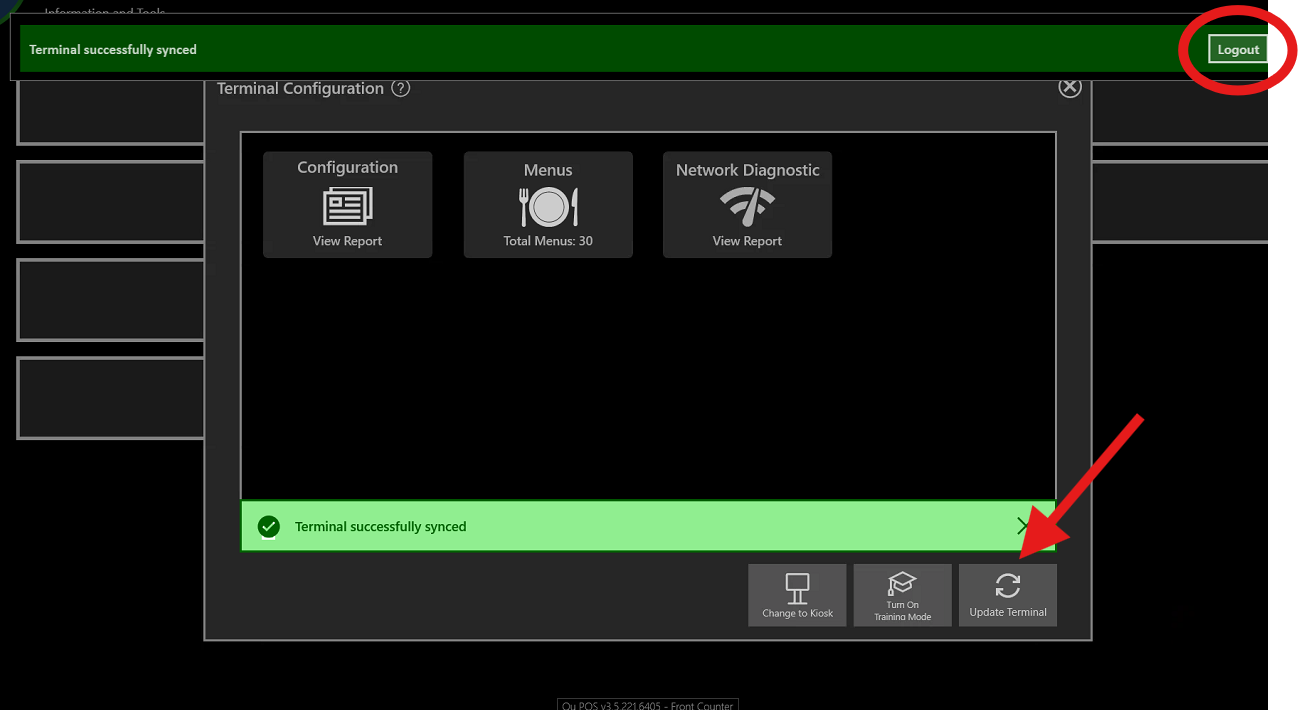
- Press "Logout," then log back in. This will have forced any updates that were applied
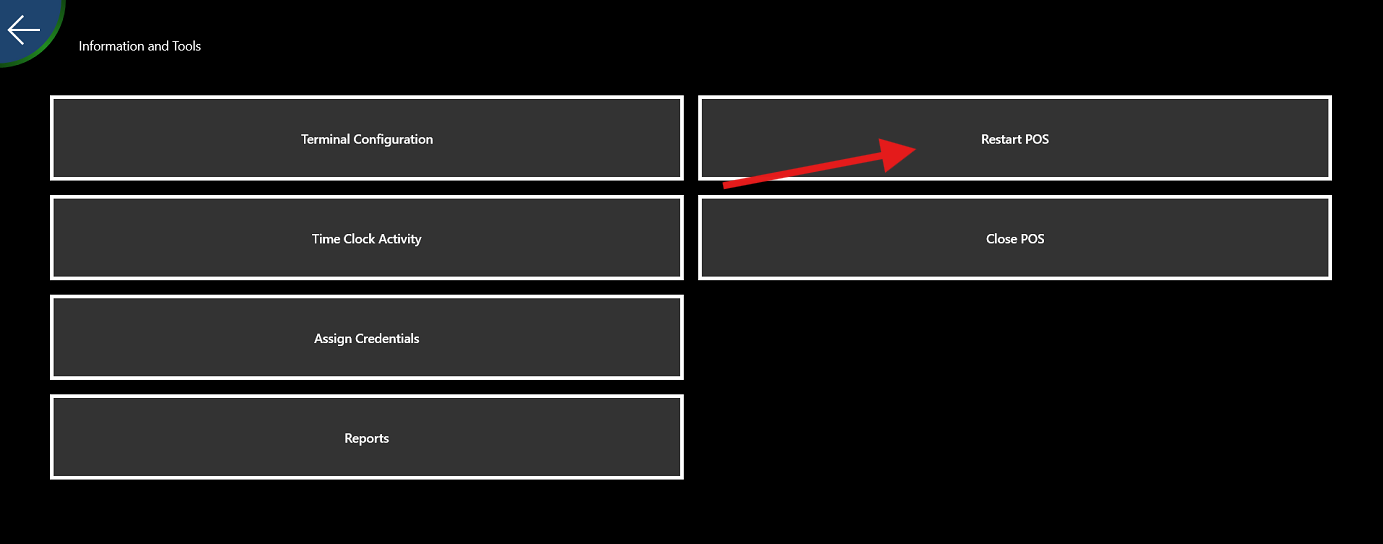
- If the updates haven't applied, Restart the POS app by going into the same menu, press "Restart POS." the app will close and re-open
Was this article helpful?
That’s Great!
Thank you for your feedback
Sorry! We couldn't be helpful
Thank you for your feedback
Feedback sent
We appreciate your effort and will try to fix the article