If a customer wants to redeem points for an item, here are the steps to follow:
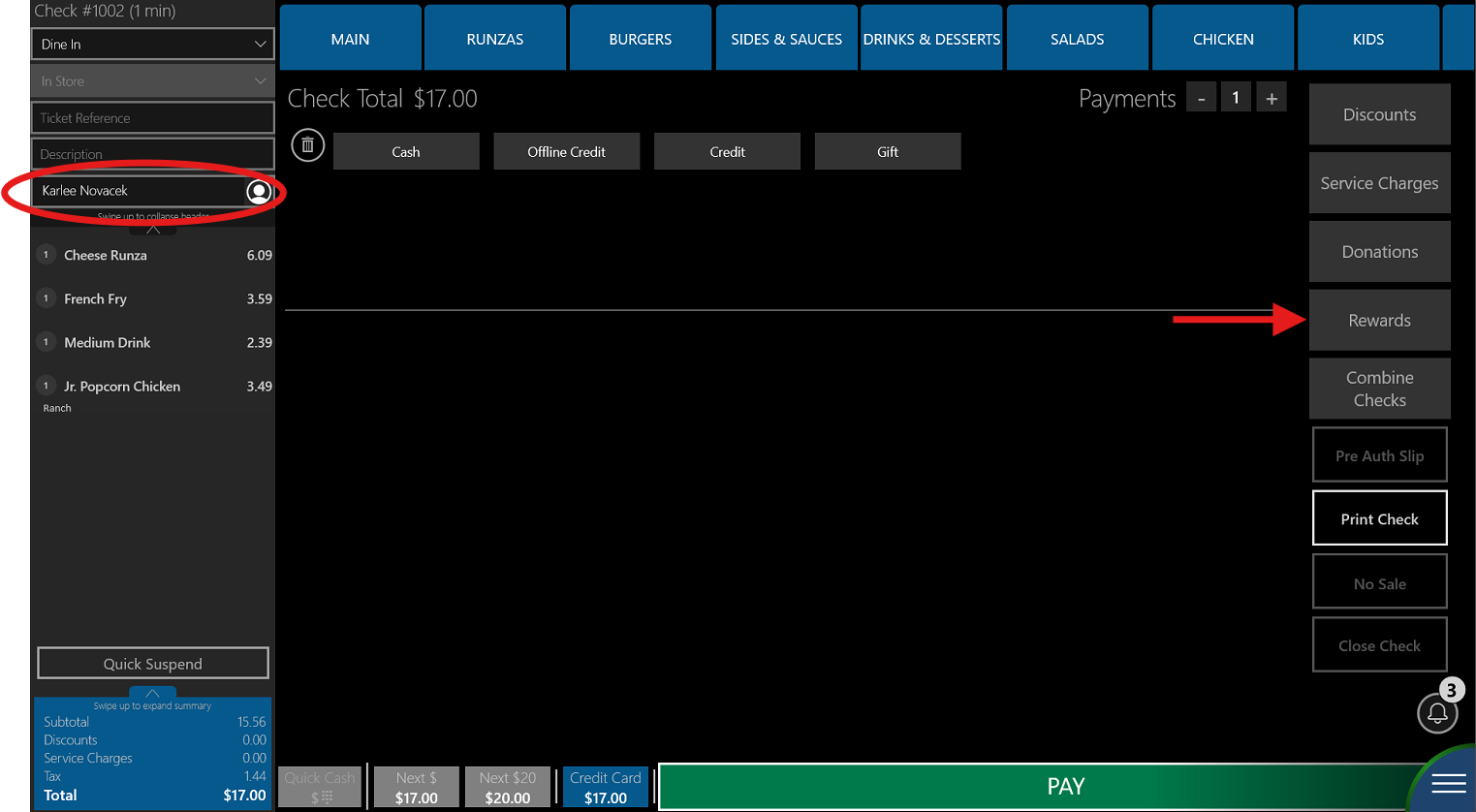
1. Have the customer scan their QR code as usual without any rewards/offers applied (their name should appear on the check)
2. When at the pay screen, click on "Rewards"
3. Ask them which menu item they would like to redeem points for. The register will not auto-apply any rewards they have applied
4. Select that menu item from the list, you will get a "Promotion applied successfully" message at the top of the screen.
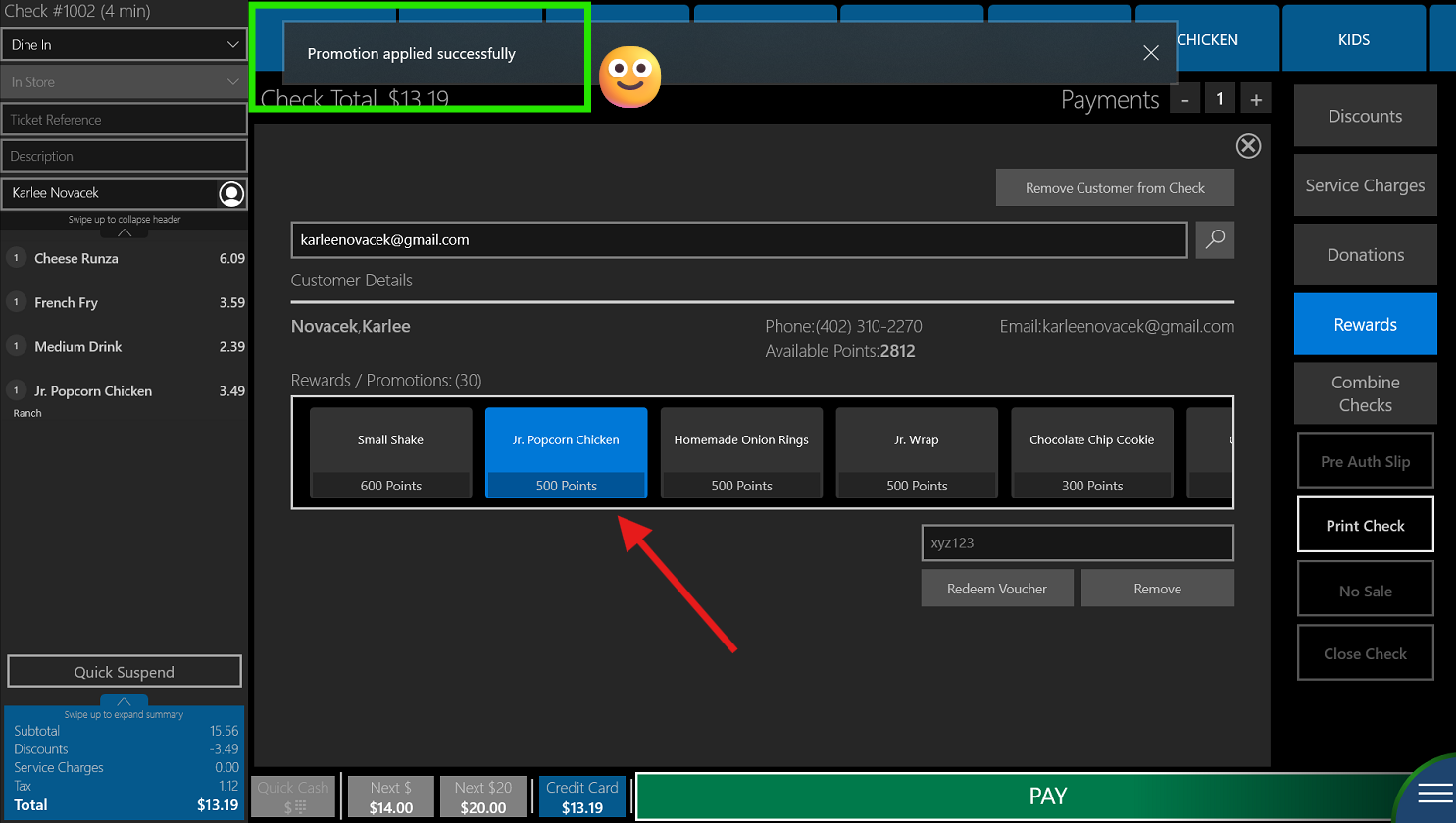
**If you get an error, make sure that you have the correct reward item rang in
Was this article helpful?
That’s Great!
Thank you for your feedback
Sorry! We couldn't be helpful
Thank you for your feedback
Feedback sent
We appreciate your effort and will try to fix the article