Menu Items
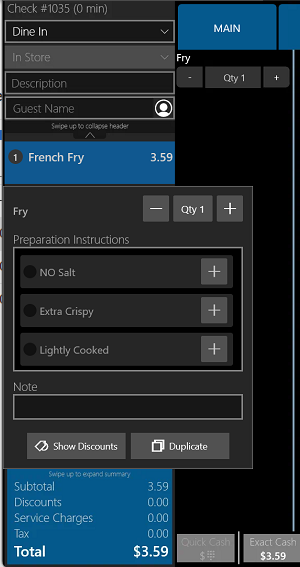
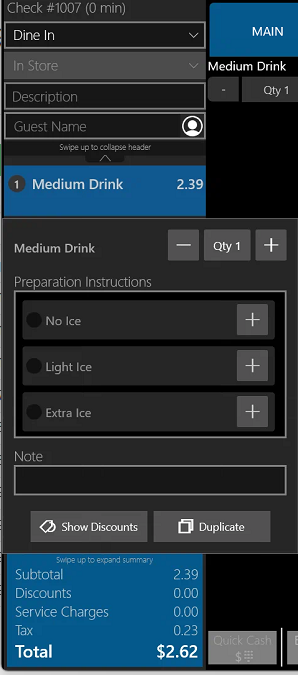
Once the item is added to the check, long press on the item in the check view (you can also long press on the portions in the modification screen if they are present).
Select the relevant prep instruction(s).
Tap an empty area of the screen to close the dialogue
Ingredients or Modifiers
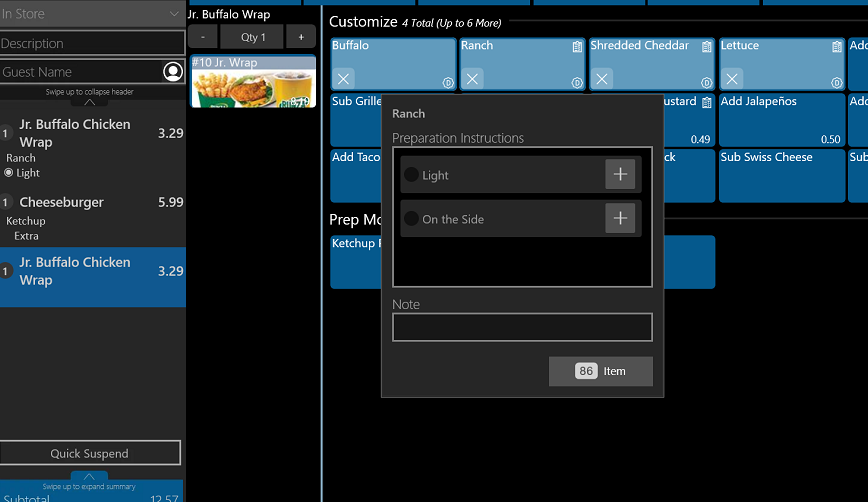
Once the ingredient or modifier has been added to the item, long-press on it on the modification screen.
Select the relevant prep instruction(s).
Tap an empty area of the screen to close the dialogue
Was this article helpful?
That’s Great!
Thank you for your feedback
Sorry! We couldn't be helpful
Thank you for your feedback
Feedback sent
We appreciate your effort and will try to fix the article