- Requires a manager PIN
- Enter the team member's namein the "Description" field
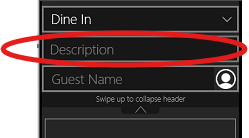
***We cannot make this required, you will need to train team members to do this manually
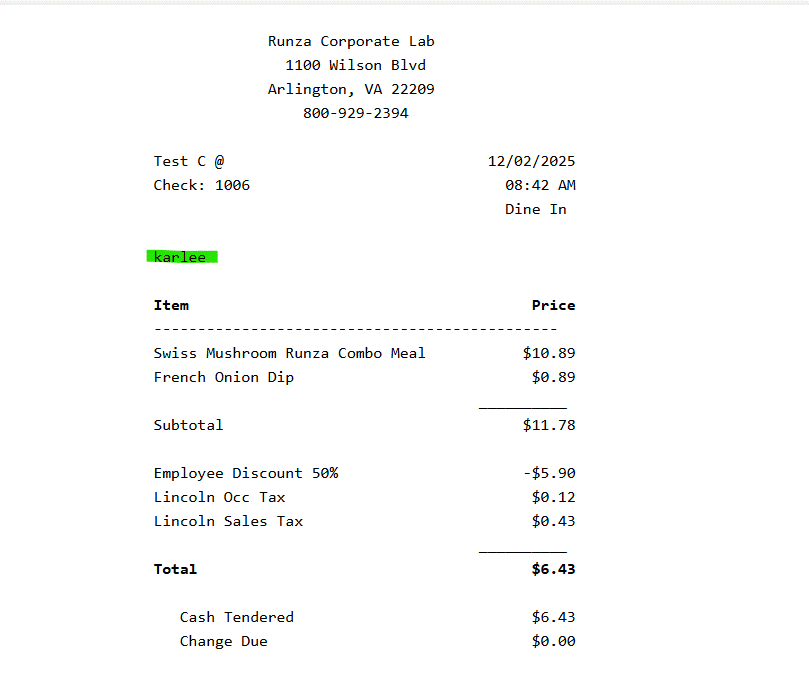
- OR search their email under "Guest Name" to attach their loyalty account to the check. Both these options will have the name on the receipt (printed and back office)
- OR scan Runza App
- After ringing in your items, go to the "PAY" screen and click on "Discounts" and select the Employee Discount 50%
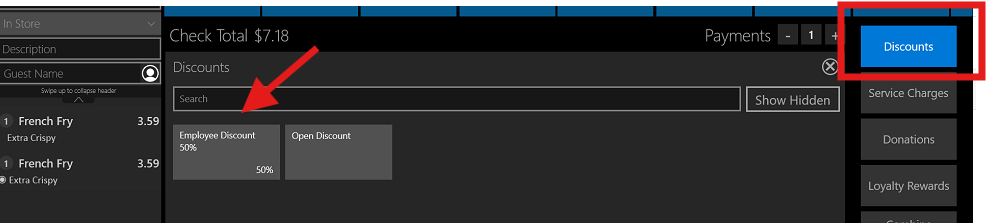
***A maximum discount amount of $8 is set - you can have more than $16 on your ticket, but only $10 will be discounted
Was this article helpful?
That’s Great!
Thank you for your feedback
Sorry! We couldn't be helpful
Thank you for your feedback
Feedback sent
We appreciate your effort and will try to fix the article