- A Transition Item is a menu feature that allows you to switch between two related items
- Every main item is configured with a "transition item" to quickly make it a combo meal
- If you transition from an item to a combo meal (or vice versa) it will keep any modifications you have made
- EXAMPLE
- Customer orders a BBQ Bacon Swiss Runza Combo Meal
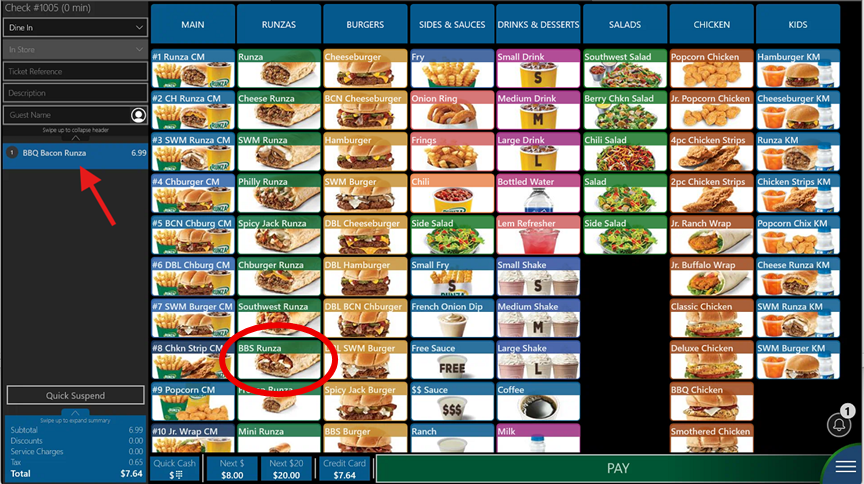
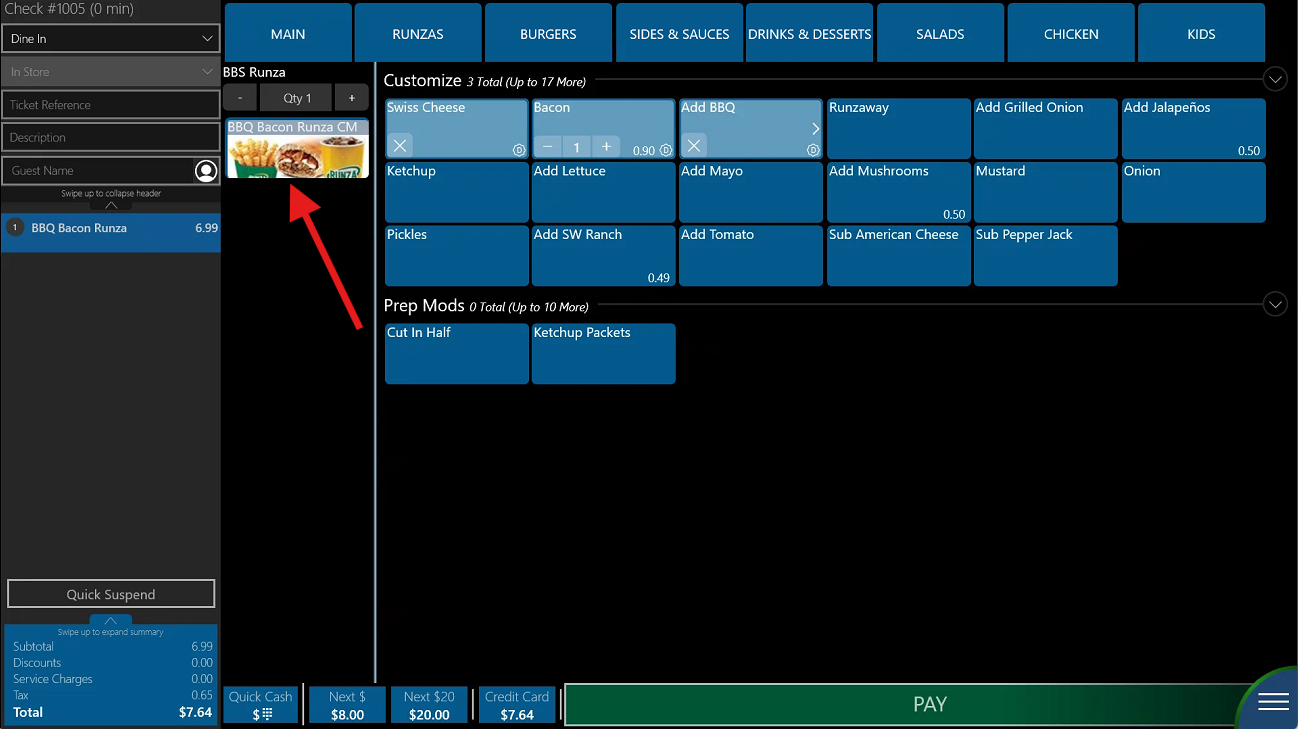
- Ring in the BBS Runza, then click on it on the left column to open its modifiers
- You can now click on the "BBQ Bacon Runza CM" transition item to immediately make it a Combo Meal.
- This method is PREFERRED instead of ringing in each item individually (ie BBS Runza, Fry, Med Drink)
Was this article helpful?
That’s Great!
Thank you for your feedback
Sorry! We couldn't be helpful
Thank you for your feedback
Feedback sent
We appreciate your effort and will try to fix the article