A customer can type in their phone number to be added to the check and redeem rewards and offers
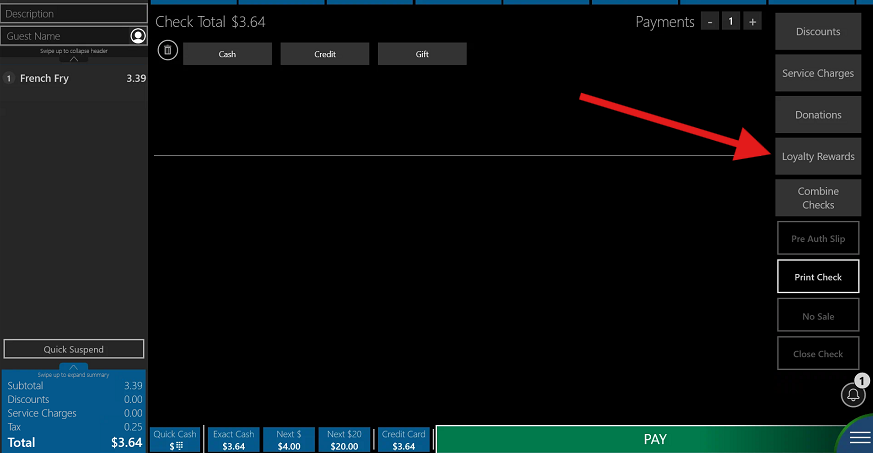
- On the Pay screen, press Loyalty Rewards
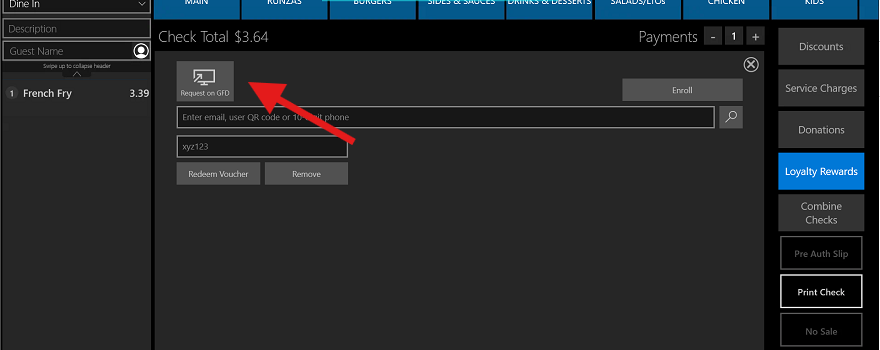
- Press Request on GFD - this
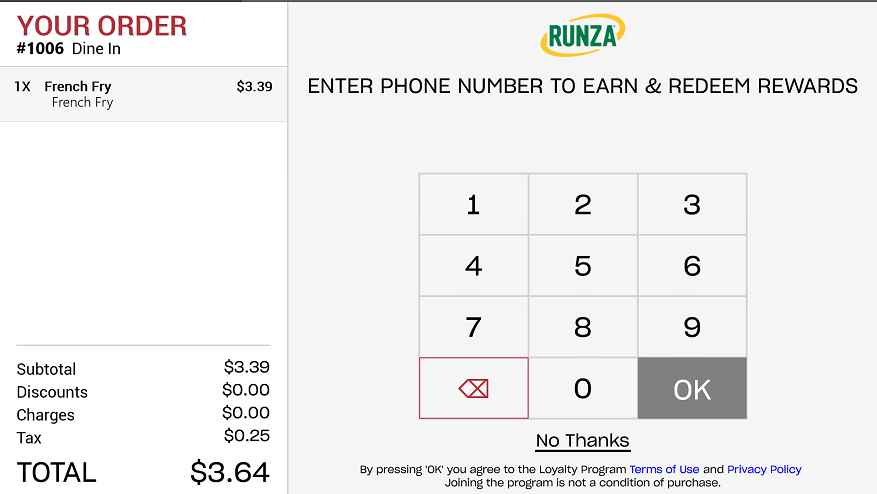
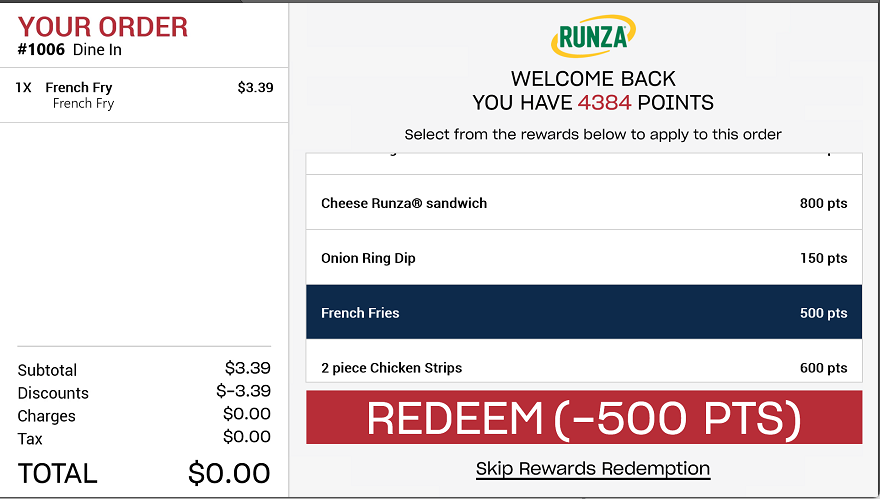
3. The customer will be prompted on the Guest Facing Display to enter their phone number. If they have the Runza app, they will be added to the check. They can scroll thru their available rewards and redeem from the guest display
4. If they have been successfully added, you will see this message in green below.
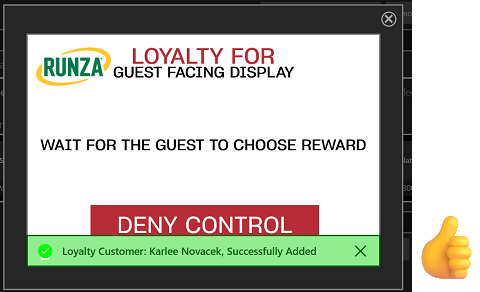
5. Customer can select a reward if they want to redeem (make sure that item is on the check)
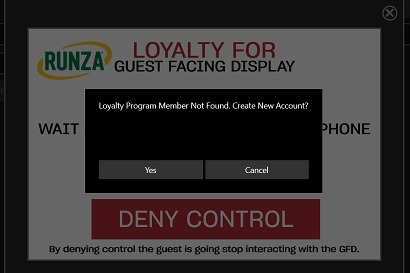
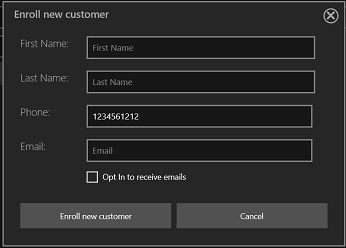
6. If they do not have an account, you will see this message, and you can create a new account for them if they choose
Was this article helpful?
That’s Great!
Thank you for your feedback
Sorry! We couldn't be helpful
Thank you for your feedback
Feedback sent
We appreciate your effort and will try to fix the article