SELL A GIFT CARD
GO TO THE PAY SCREEN
SELECT GIFT CARD
SELECT ADD VALUE TO EXISTING CARD
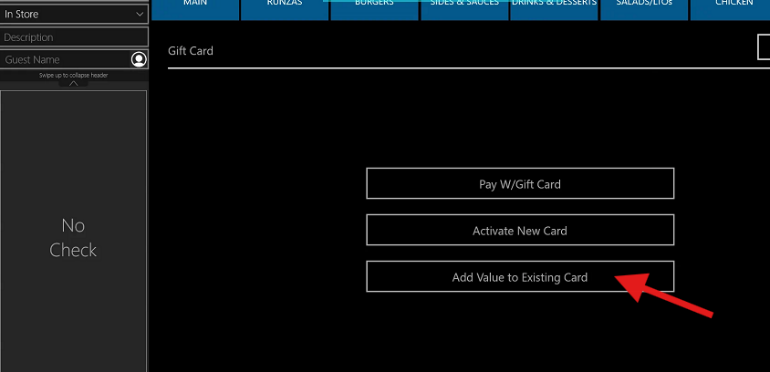
ENTER THE AMOUNT
SWIPE THE GIFT CARD
MESSAGE WILL APPEAR THAT CARD IS ACTIVATED
PAY OUT THE CHECK (CASH OR CREDIT)
Was this article helpful?
That’s Great!
Thank you for your feedback
Sorry! We couldn't be helpful
Thank you for your feedback
Feedback sent
We appreciate your effort and will try to fix the article