If you accidentally cash an order out with the "Cash" payment method instead of Credit card or gift, you can change the payment method rather than re-ringing.
***THIS WILL REQUIRE A MANAGER PIN***
Tap the Blue Hamburger Menu button in the bottom right of the screen.

Tap the Search Closed Checks option on the top menu bar.

Search for the check using the text box or predefined buttons.
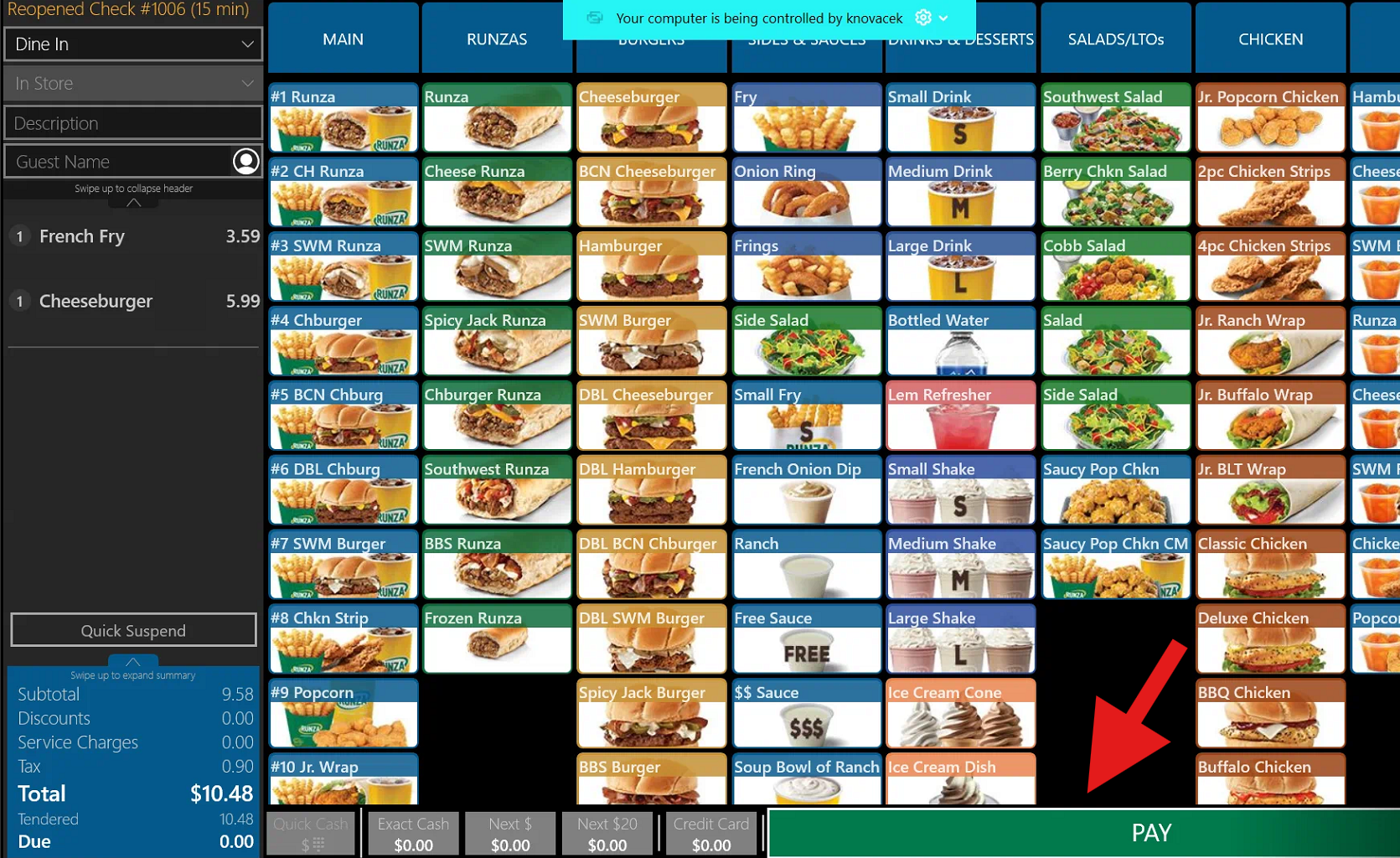
Reopen the check
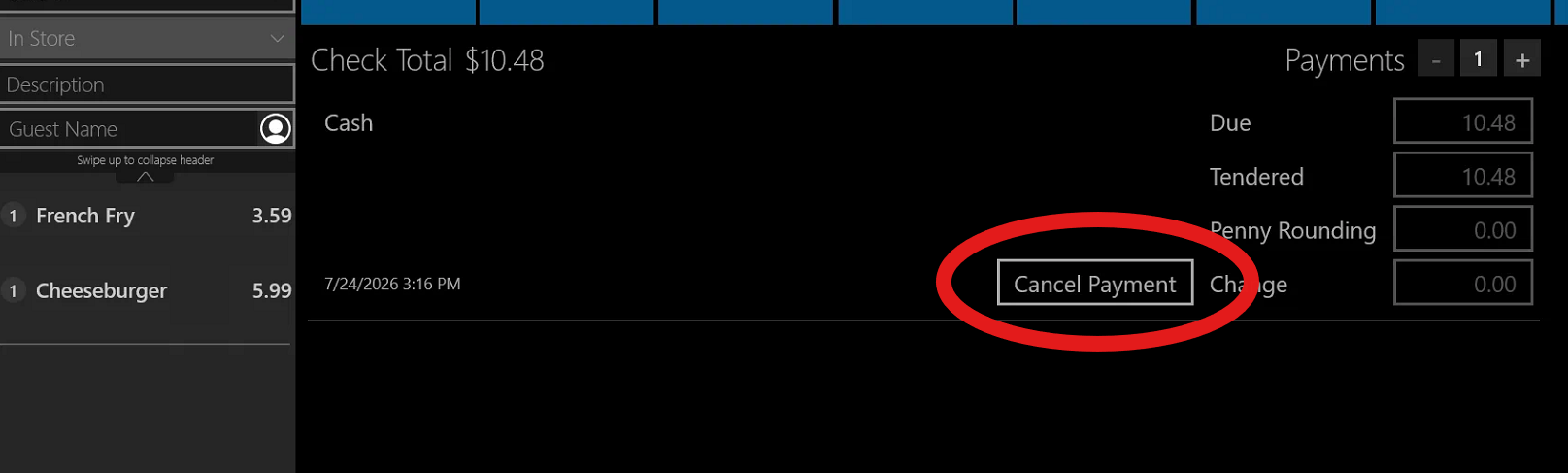
Advance to the "PAY" screen and press CANCEL PAYMENT
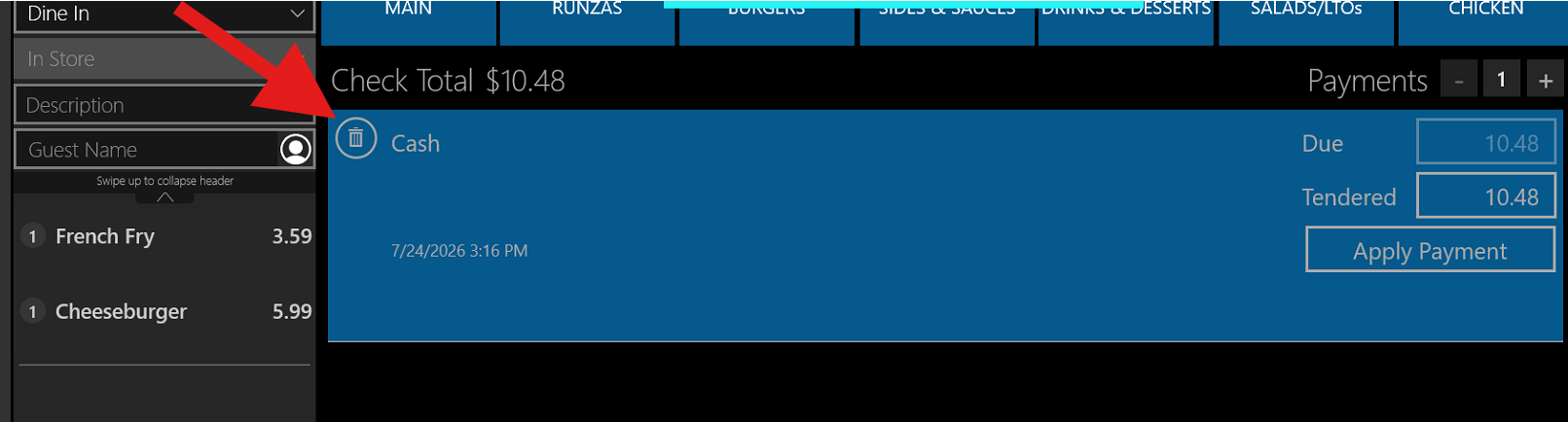
Press the trash can next to CASH and then select the desired payment method.
 Process credit card or gift card
Was this article helpful?
That’s Great!
Thank you for your feedback
Sorry! We couldn't be helpful
Thank you for your feedback
Feedback sent
We appreciate your effort and will try to fix the article