- Login to EI (admin.qubeyond.com)
- Go to Configuration > Employees
- Click "Add Employee"
- Enter their information in these fields - First Name, Last Name, PIN, Employee Group (select your store)
- Click Add Job Title, enter Cashier, Hourly, and set the Job Start Date to today's date
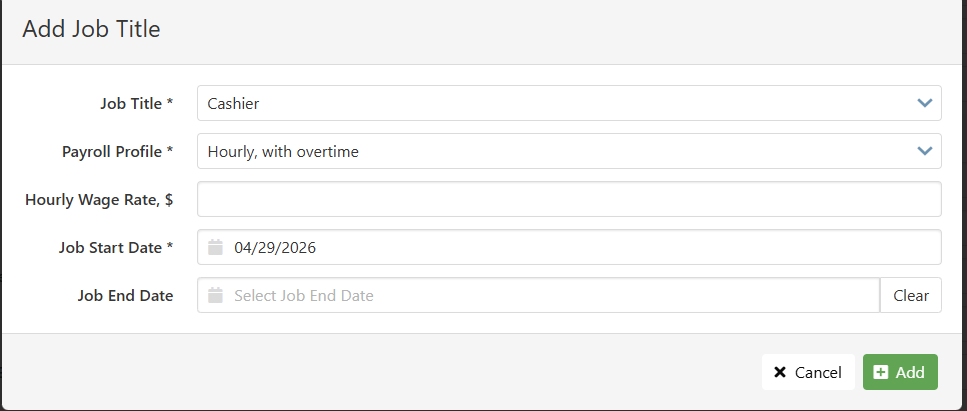
- Click Add
- Scroll back to the top and Save
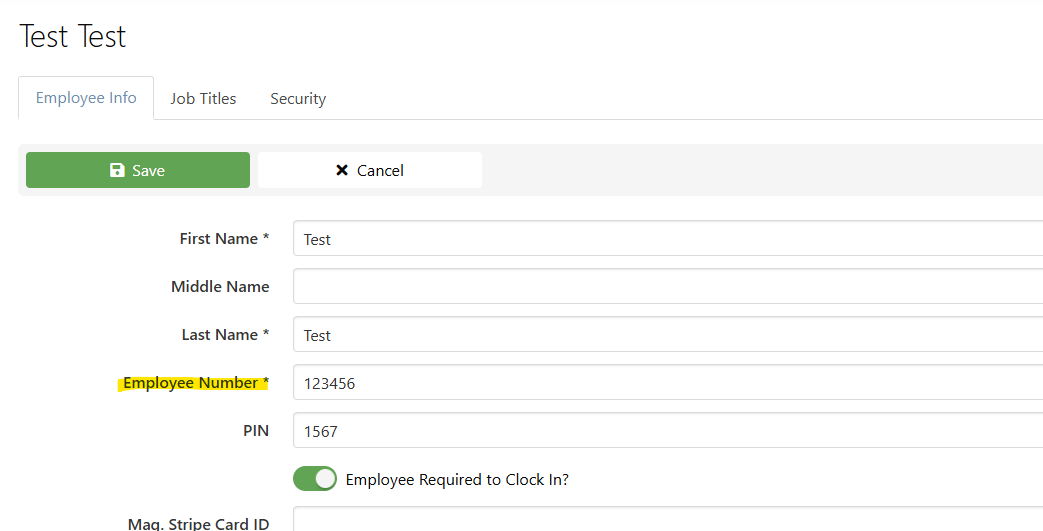
- After it has been saved, Add their Employee Number - this will be the number in their CrunchTime employee record under the Locations tab
Was this article helpful?
That’s Great!
Thank you for your feedback
Sorry! We couldn't be helpful
Thank you for your feedback
Feedback sent
We appreciate your effort and will try to fix the article