- Sign into your email via the web - https://outlook.office.com/
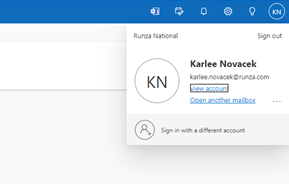
- In the upper right hand corner, click on your initials and View account
3. Select Security Info and then Add sign-in method
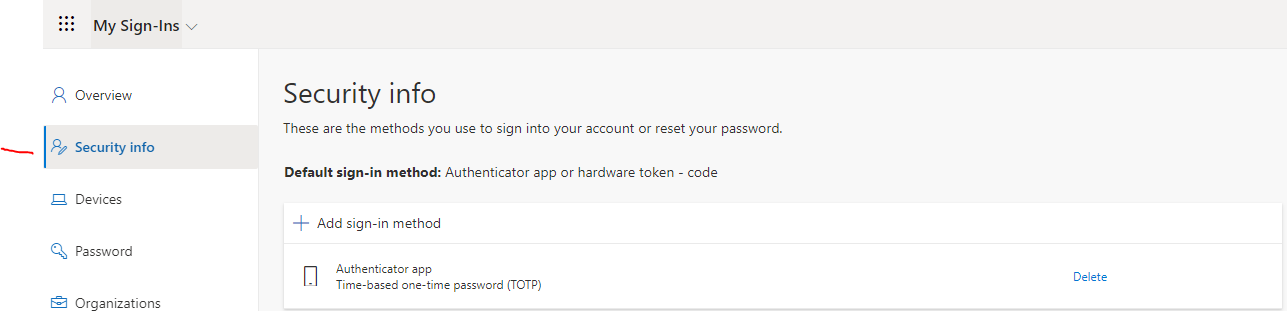
4. Choose Authenticator app on the drop down menu
5. Follow instructions to setup the Microsoft Authenticator app on your mobile device
Was this article helpful?
That’s Great!
Thank you for your feedback
Sorry! We couldn't be helpful
Thank you for your feedback
Feedback sent
We appreciate your effort and will try to fix the article