- Tap the Blue Hamburger Menu button at the bottom right of the screen.

- Select the Search Closed Checks option.

- Use the following search functions to view the closed checks:
- Order Types or Order Channels

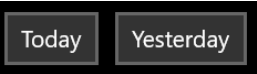
- Today or Yesterday buttons quickly retrieve checks for those days.
- Order Types or Order Channels
- The Search field is used to look for specific checks with the use of the following information:
- Check amount
- Check number
- Date
- Or any combination of the three
Was this article helpful?
That’s Great!
Thank you for your feedback
Sorry! We couldn't be helpful
Thank you for your feedback
Feedback sent
We appreciate your effort and will try to fix the article