Below are instructions for reporting phishing emails in the Outlook web app, mobile app, and desktop app.
Outlook Web App & Desktop App
Note - this process is the same for both the web and desktop apps.
- Open the email you wish to report
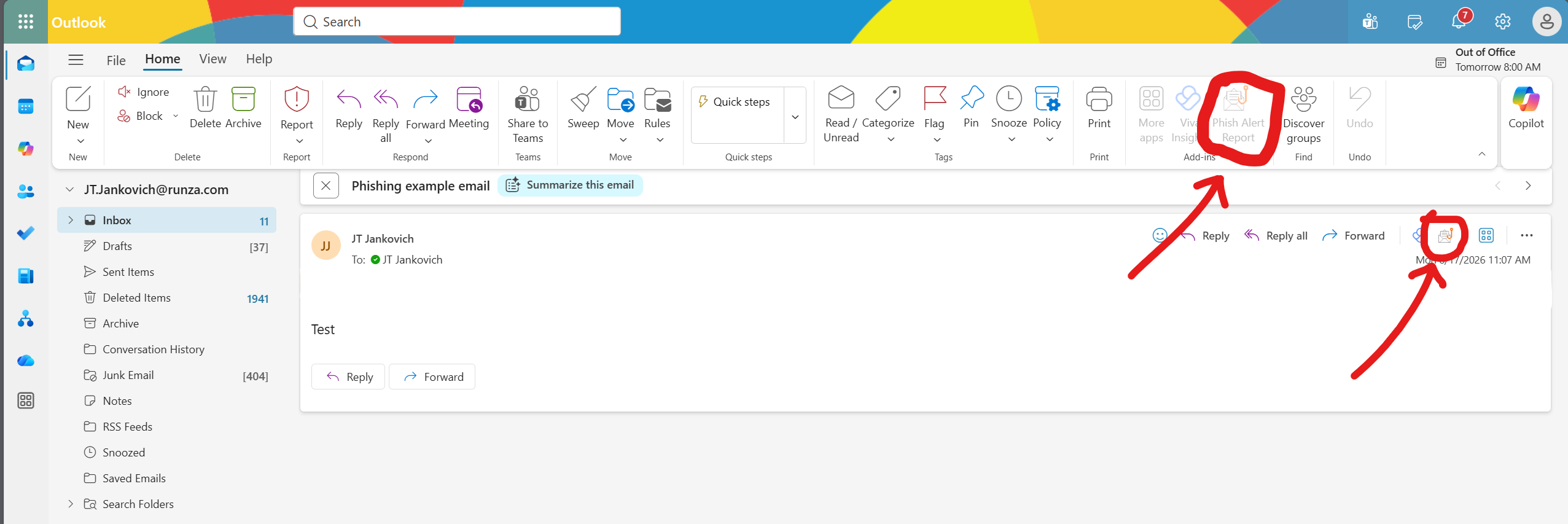
- Click the Phish Alert Report button at the top right corner. There are 2 buttons you can click for this, either will work.
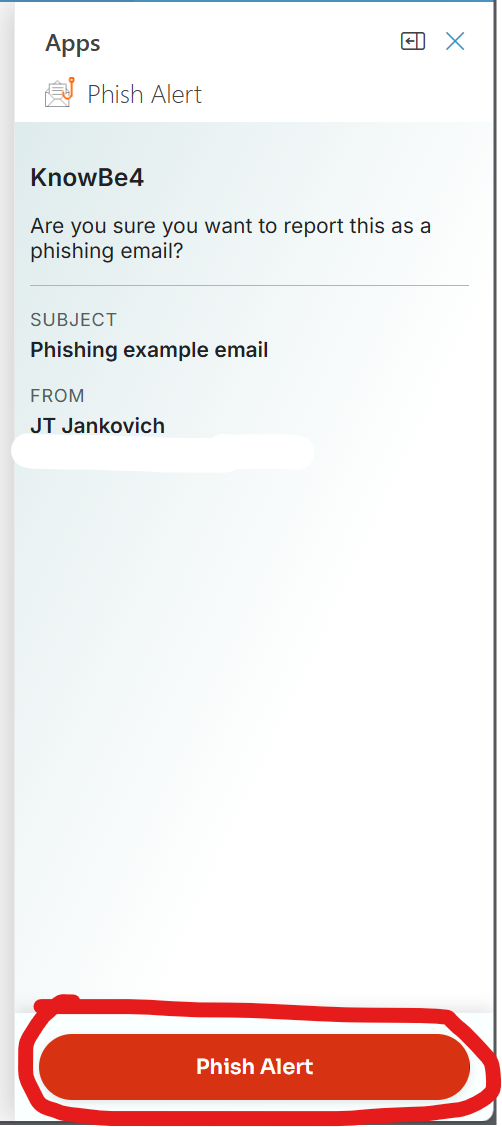
- In the column that pops up on the right, click the Phish Alert button to submit the email for review.
Outlook Mobile App
- Open the email you wish to report
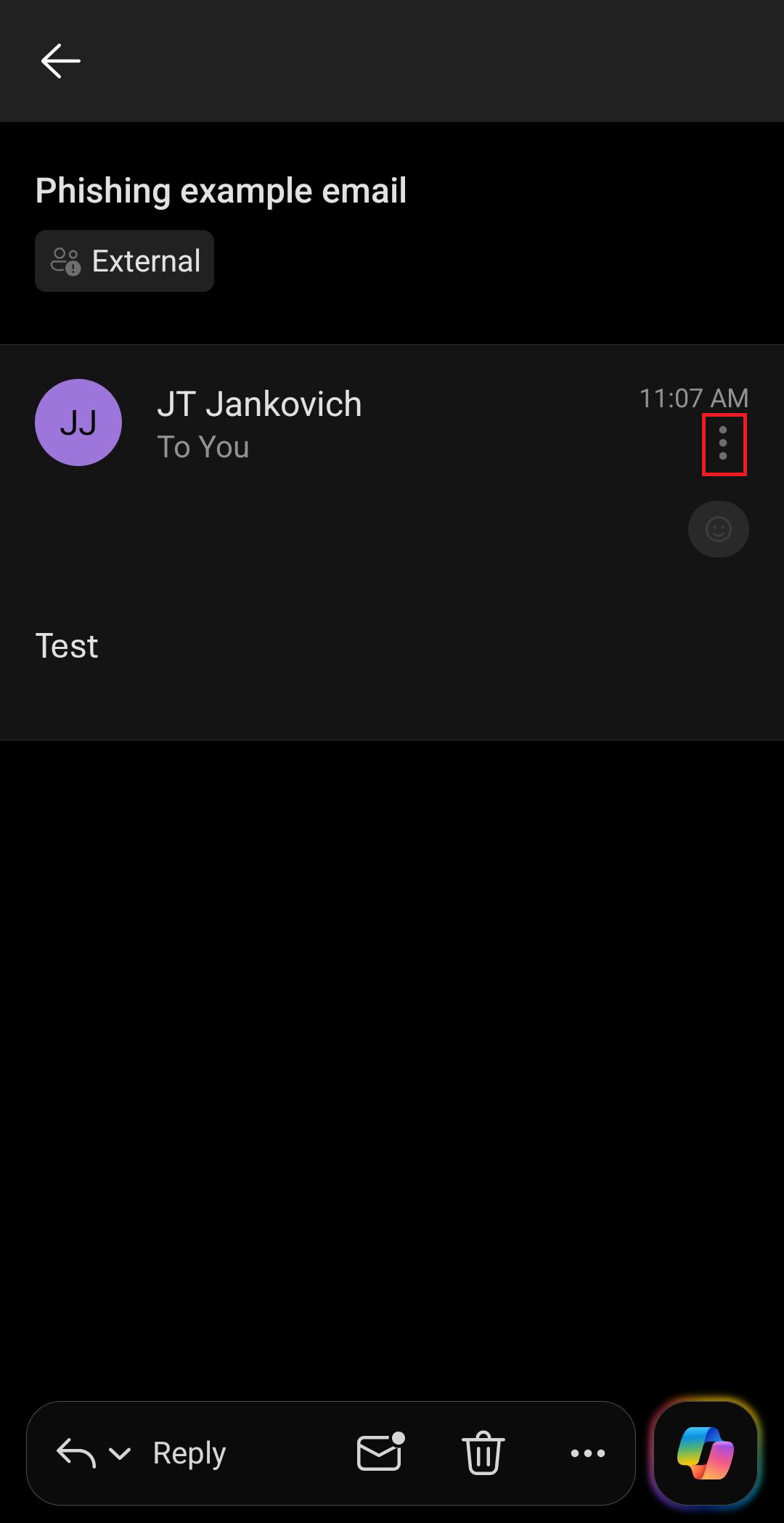
- Click the three dots near the top right corner:
- In the menu that pops up, scroll to the bottom and click the Phish Alert button:
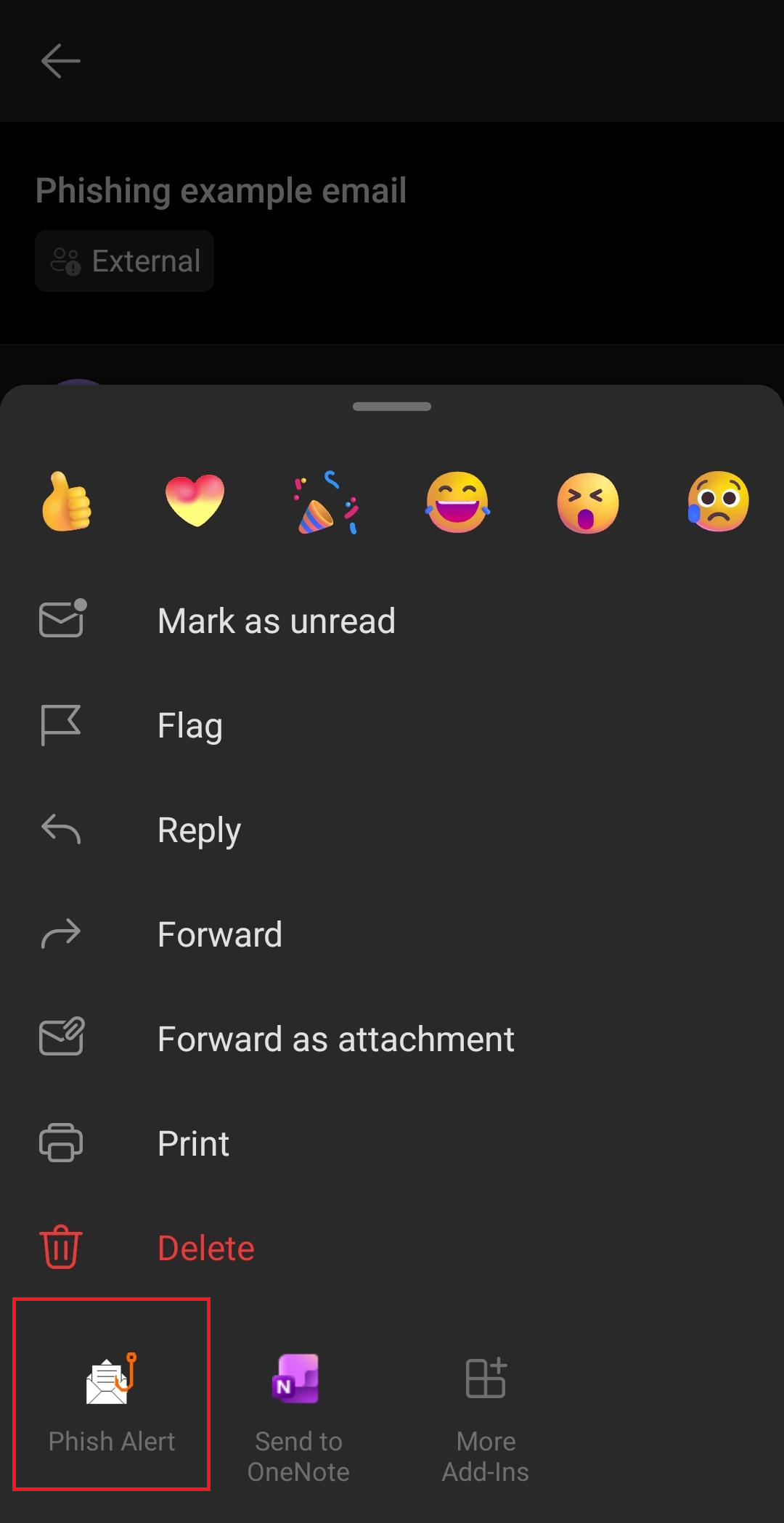
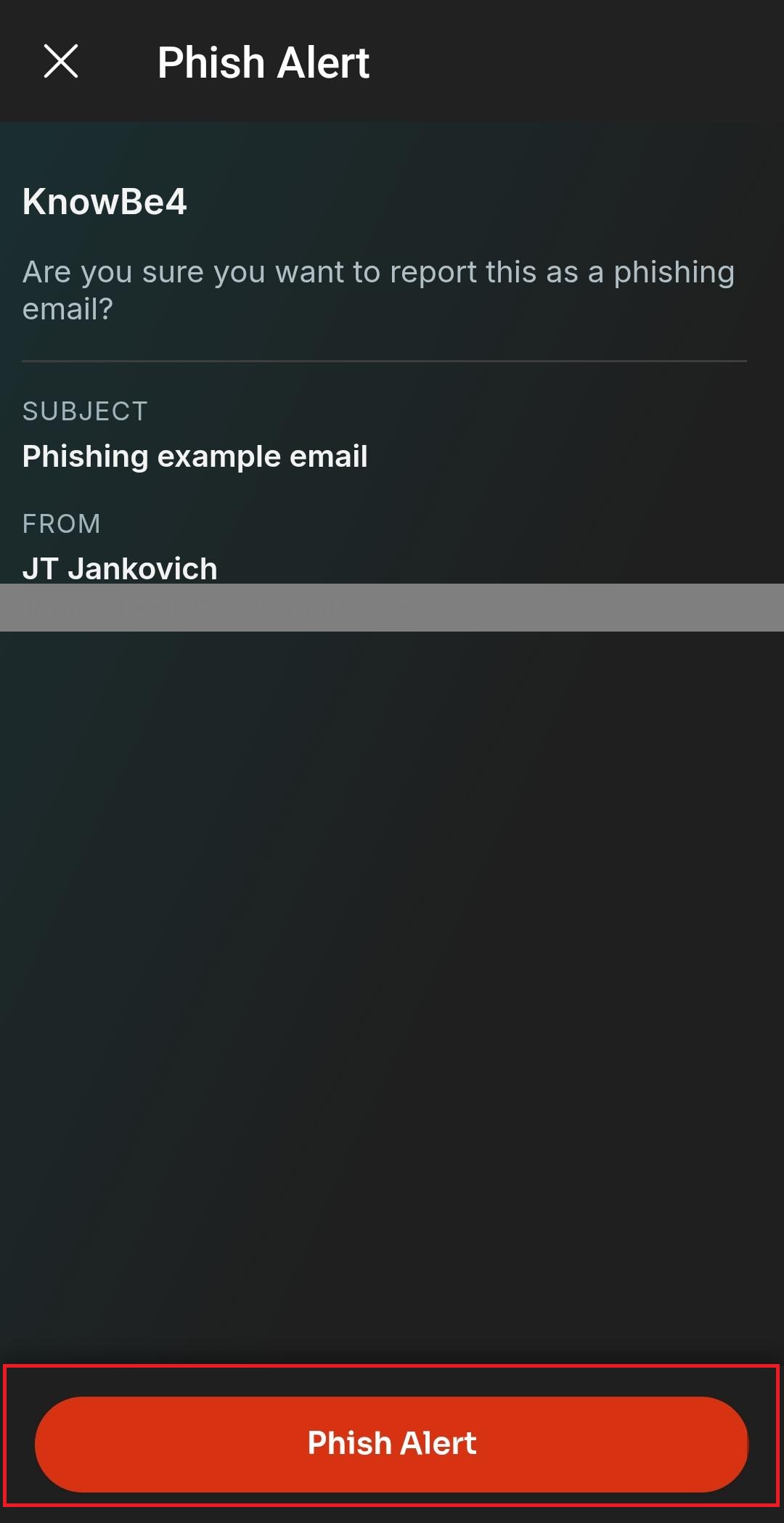
- Click the Phish Alert button at the bottom to submit for review:
Was this article helpful?
That’s Great!
Thank you for your feedback
Sorry! We couldn't be helpful
Thank you for your feedback
Feedback sent
We appreciate your effort and will try to fix the article